Drafting
Contract register and expiry reminders
Executed contracts in one place with their end dates attached, and a reminder before each one runs out rather than after.
- Available on
- Plus and above
- Default reminders
- 30, 7 and 1 day before
- Milestones you can choose
- 90, 60, 30, 14, 7 and 1 day
- Colleagues copied in
- Up to five
How it works
From a signed document to a date you will not miss.
- Add contractsBring each contract into one register, with the other party, and link its signed copy or document where you have one.
- Record the termA fixed term with its end date, a deadline, or a rolling contract with no end date.
- Choose your remindersReminders go 30, 7 and 1 day before the end date. Choose your own from 90, 60, 30, 14, 7 and 1 day, and copy in up to five colleagues.
The register
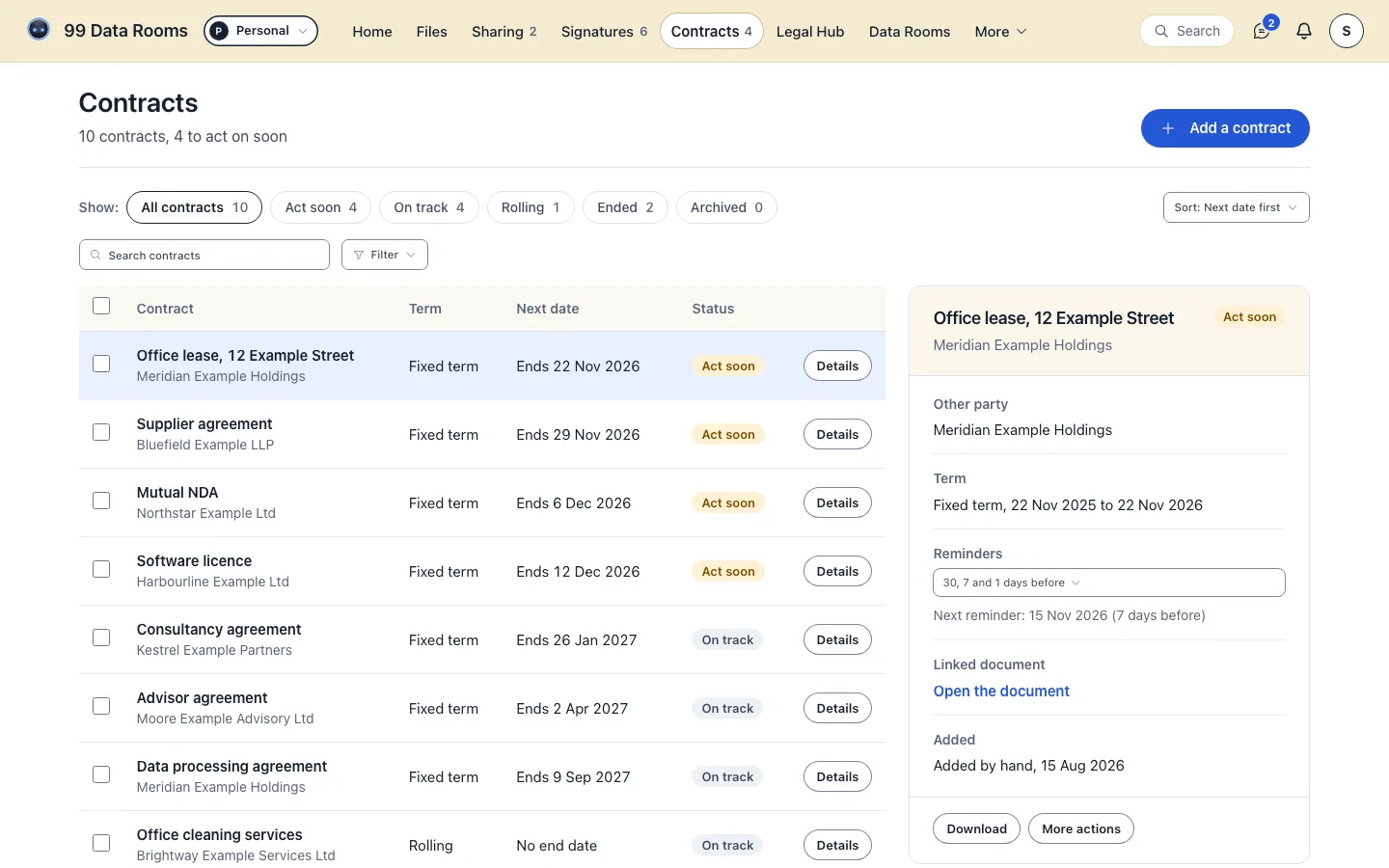
All contracts, Act soon, On track, Rolling, Ended and Archived.
- Mutual NDA, NorthstarNorthstar. Fixed term, ending within 30 days.Act soon
- Office lease, KestrelKestrel. Fixed term.On track
- Customer agreement, HarbourlineHarbourline Capital. Fixed term, with its signed copy.On track
- Supply agreement, BluefieldBluefield. Rolling, no end date.On track
What it does
Keep executed contracts in one register with their end dates. As an expiry approaches you are reminded in-app and by email at each milestone you choose, and you can copy in up to five colleagues, so a renewal never arrives as a surprise.
The milestones are the contract's own. You set them per agreement from a menu of 90, 60, 30, 14, 7 and 1 day, and the default is 30, 7 and 1.
Why the date and the document belong together
A calendar invite knows the date and not the document. A shared drive holds the document and not the date. The register keeps them attached, so the reminder arrives with the thing it is about rather than pointing at a folder somebody has to go and find.
Copying colleagues in matters for the same reason: a renewal date that only one person can see is a single point of failure, usually discovered the week after it passed.
Good to know
- It reminds the people you name, and every decision on the contract stays yours.
- It tracks the dates you record against each contract.
- Signature requests are never chased automatically. A sender presses Remind, and a signer is reminded at most once in 24 hours.
Your files and what we do with them
- A contract with a signed copy or a linked document opens it from the register
- Reminders go before the end date, by notification and email
- Act soon gathers every contract ending within 30 days
- Every contract's term and end date in one register
- Encryption
- AES-256 at rest, TLS 1.2 or later in transit
- Backups
- Daily, encrypted
- Data processing
- A published DPA
What it costs
A flat price per plan, shown in the currency you pay in.
| Free | 3 data rooms, 25 active linksLegal credits: 20 a month for drafts, contract reviews and Blinky's answers (up to 4 exports or sends, PDF) | Free forever |
|---|---|---|
| Plus | 5 signature requests a month, up to 2 signersLegal credits: 150 a month for drafts, contract reviews and Blinky's answers (up to 30 exports or sends, PDF) | |
| Pro | Unlimited e-signaturesLegal credits: 500 a month for drafts, contract reviews and Blinky's answers (up to 100 exports or sends, PDF + Word) | |
| Business | A company account, unlimited seatsLegal credits: 1,200 a month for drafts, contract reviews and Blinky's answers, shared across the company (up to 240 exports or sends, PDF + Word) | |
| Enterprise | For more than 100 people, or terms of your own | Let's talk |
- FreeFree forever
- Plus
- Pro
- Business
- EnterpriseLet's talk
Prices are loading.
Questions
Contract register and expiry reminders, answered
At 30, 7 and 1 day before expiry by default. You can set the milestones per contract from 90, 60, 30, 14, 7 and 1 day.
Yes. You can copy in up to five colleagues per contract, so the date is not held by one person alone.
No. Nothing goes to the other side unless you turn it on. Reminders about an expiry go to you and the colleagues you copy in, and on any contract you can choose to remind the other party too: on your reminder days they get a reminder of the end date, at most one a week, showing your company or your name but never the contract's title, and they can stop it with one click. A signature reminder is only ever sent when a sender presses Remind.
Plus and above.
/features /blog/how-do-you-get-reminded-before-a-contract-expires /blog/what-is-contract-renewal-management-and-why-do-teams-get-it-wrong /pricing
Contract register and expiry reminders. This comes with Plus and above.